

Disclosure: As an Amazon Associate, I earn from qualifying purchases.

Where to buy
Price and availability are on Amazon. The button opens Amazon in a new tab.
The review
The UANTIN USB C Docking Station may suit you if your laptop supports DP Alt Mode and you want multiple display connections plus charging and Ethernet; the listing gives a price of €17.811. Its headline display claim is up to 4K at 60Hz per monitor, but that is a listing specification, not a verified result, and macOS is described as mirroring only1.
Key facts
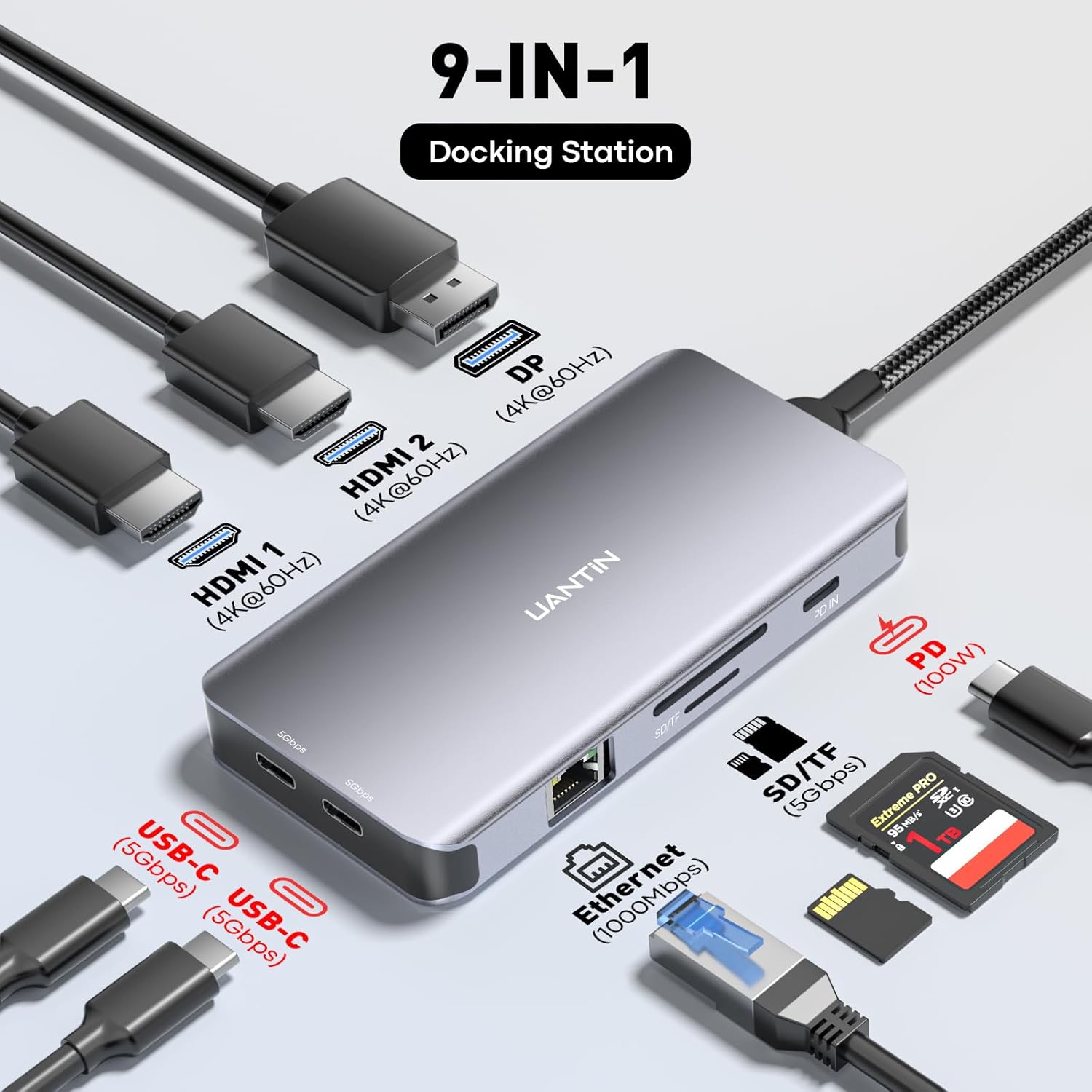
- The listing describes nine ports, including two HDMI ports, one DisplayPort, Gigabit Ethernet, a 100W PD port, and two USB-C data ports1.
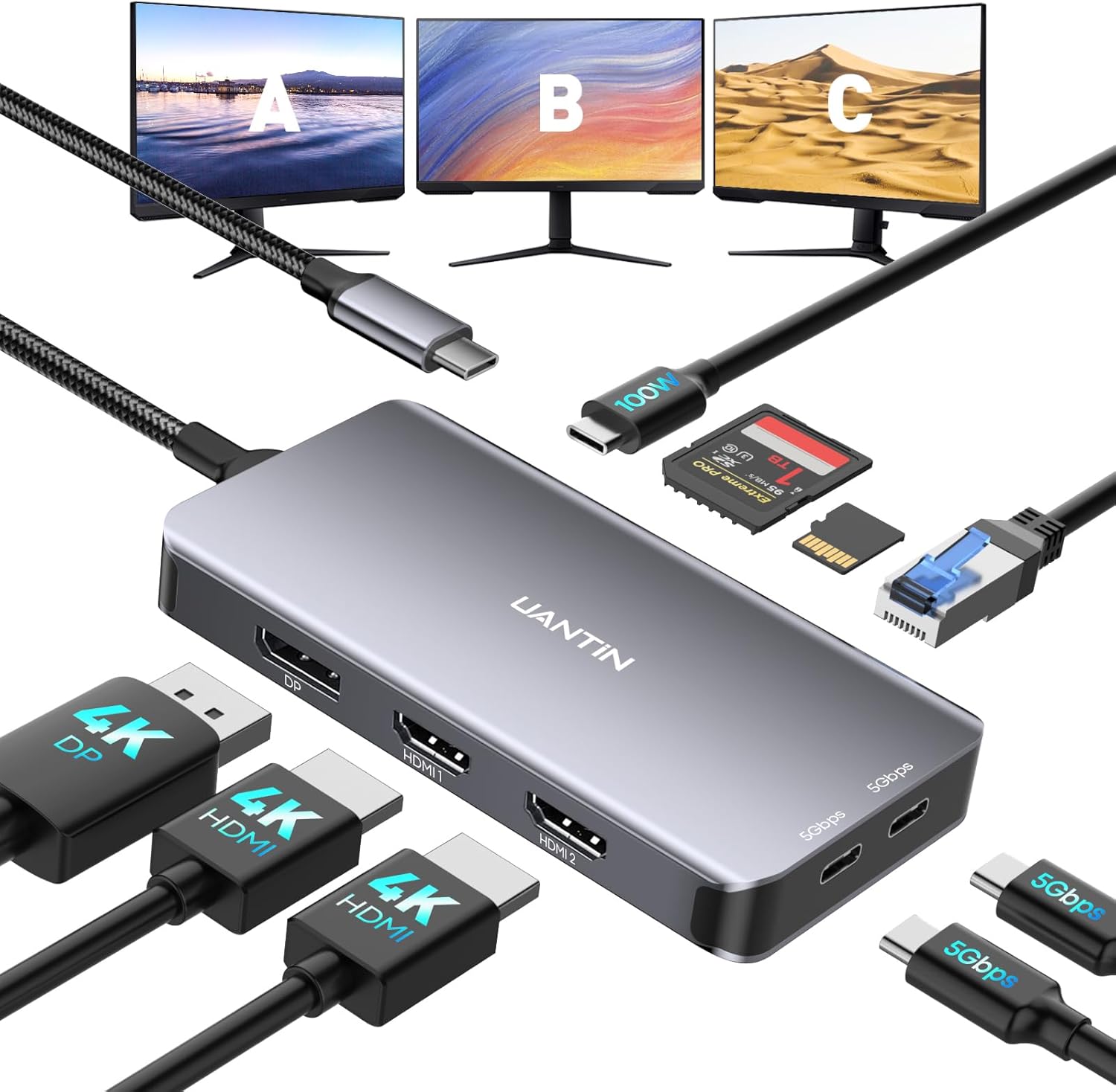
- The listing claims simultaneous HDMI and DisplayPort output for up to three monitors, each supporting up to 4K at 60Hz1.
- The laptop’s USB-C port must support DP Alt Mode, according to the listing1.
- The listing says macOS systems support mirroring mode only1.
- The listed price is €17.81, and the listing showed 11 units available; both are listing details, not lasting guarantees1.
What is the USB C Docking Station, and what does it offer for two monitors?
The UANTIN USB C Docking Station expands a laptop’s single USB-C connection into nine listed ports, including two HDMI ports, one DisplayPort, Gigabit Ethernet, a 100W PD port, and two USB-C data ports1. For a two-monitor setup, the available HDMI and DisplayPort connections are relevant; the listing also describes simultaneous HDMI and DisplayPort output1.
The USB C Docking Station is advertised for as many as three monitors, with each display claimed to support up to 4K at 60Hz1. That is the seller’s specification rather than a result verified in testing. The USB C Docking Station was listed at €17.81, with 11 units shown as available when the listing information was captured; price and stock can change1.
The listing also presents broad compatibility as a selling point, but names DP Alt Mode as a requirement, so the laptop’s port capability matters1.
How can I check whether my laptop’s USB-C port supports two external displays through a dock?
Your laptop’s USB-C port needs to support DP Alt Mode for this dock’s display function, according to the listing1. Before choosing the USB C Docking Station, check the laptop documentation for the capability of the specific port you plan to use; a USB-C connector alone does not establish that it supports video output.
The seller describes the USB C Docking Station as broadly compatible with most USB-C laptops and gives MacBook, HP, Dell, and Lenovo as examples1. That broad statement is not a guarantee that every laptop or every USB-C port will work. The listing does not provide a model-by-model compatibility checklist or identify particular supported laptop models1.
For the USB C Docking Station, confirm both the DP Alt Mode requirement and your laptop’s external-display capabilities in its own documentation. The listing alone cannot confirm that your exact laptop will drive two external screens through the dock, even though it advertises simultaneous HDMI and DisplayPort output1.
What resolution and refresh rate can a USB-C dock support on two monitors at the same time?
The listing claims that the dock can provide simultaneous HDMI and DisplayPort output and that each connected monitor can support up to 4K at 60Hz1. That is the advertised per-display ceiling, not a verified two-monitor result. No first-hand display testing is provided here, so the USB C Docking Station’s actual performance with a particular laptop and pair of screens remains unconfirmed.
The listing does not explain whether resolution or refresh rate changes when you use particular combinations of the two HDMI ports and DisplayPort, or how laptop capabilities affect the result1. The USB C Docking Station therefore gives you a useful stated target, but not enough detail to predict every two-display configuration.
Before relying on the 4K-at-60Hz claim, compare the laptop’s display-output capabilities and the monitors’ input options with the planned connections. The USB C Docking Station listing does not provide configuration-specific results that would settle that question1.
Will the USB C Docking Station work with a Mac, including Macs that support only one external display?
The product listing names MacBook among examples of compatible laptops, but it also states that macOS systems support mirroring mode only1. That limitation matters if you want each external display to show a different desktop. A general compatibility example should not be read as a promise of independent extended displays.
For a Mac that supports only one external display, the USB C Docking Station listing does not establish that the dock can overcome that limitation or provide two independent external screens. The USB C Docking Station’s advertised HDMI and DisplayPort outputs describe the dock’s connections, not proof that a particular Mac can use them as separate extended displays1.
If independent extended displays on macOS are essential, don’t rely on the broad compatibility claim alone. Check the documentation for your Mac and the dock’s stated mirroring-only limitation before choosing the USB C Docking Station1.
How much power delivery should a dual-monitor dock provide to charge my laptop?
The listing specifies a PD 3.0 port with power output of up to 100W1. That is the USB C Docking Station’s stated maximum, not a tested charging result. The product information does not say how much power is available under different operating conditions, so it cannot confirm a particular charging speed in your setup.
Check your laptop’s own charging requirement against the dock’s stated maximum before choosing the USB C Docking Station. The listing describes broad compatibility with USB-C laptops, but that does not confirm that the dock’s power delivery is suitable for every laptop1.
Also distinguish the dedicated PD port from the two USB-C data ports: the listing says those data ports do not provide charging1. So, for charging, the relevant specification is the stated PD output—not the data-port count. The USB C Docking Station listing gives a maximum figure, but no laptop-specific charging compatibility results1.

How do I connect and configure two monitors through the USB C Docking Station?
The USB C Docking Station lists two HDMI ports and one DisplayPort, and the seller claims simultaneous output through HDMI and DisplayPort1. For two screens, those are the advertised display connections to consider, subject to the laptop supporting DP Alt Mode1. The listing’s claim does not establish how every laptop handles every pair of outputs.
The product information describes plug-and-play operation, but no first-hand setup instructions or configuration test are available here1. The USB C Docking Station listing therefore doesn’t provide a tested step-by-step process for configuring displays. Confirm your laptop’s port capability and consult its documentation for display settings.
Keep the USB-C data ports separate from the video connections: the listing says both USB-C data ports are for data transfer only and do not provide video or charging1. The USB C Docking Station’s listed PD port is the charging connection, while HDMI and DisplayPort are the advertised monitor outputs1.

What are the differences between USB-C, DisplayPort MST, and Thunderbolt docks for dual-monitor setups?
The product is described as a USB-C dock, and its listing requires the laptop’s USB-C port to support DP Alt Mode1. It claims simultaneous HDMI and DisplayPort output, but the available product information does not disclose the display technology or implementation behind that claim1.
The listing does not identify DisplayPort MST or Thunderbolt support for the USB C Docking Station. That means this review can’t confirm how it compares with MST or Thunderbolt alternatives, or whether either technology is involved in its multi-display operation. There is no basis in the available information to infer those features from the number of video ports alone.
For your decision, focus on the stated requirements and limits: DP Alt Mode is required, while the listing advertises HDMI and DisplayPort output1. The USB C Docking Station’s display claim still needs to be checked against your laptop’s capabilities. The available information doesn’t provide a technical comparison with other dock types.
What limitations or compatibility problems can reduce a dock’s display quality or prevent both monitors from working?
The listing says the laptop’s USB-C port must support DP Alt Mode, and it limits macOS systems to mirroring mode1. Either point can affect whether the USB C Docking Station fits your intended setup: the first is a stated port requirement, while the second is a specific restriction on macOS use.
The 4K-at-60Hz figure is a seller claim for each monitor, with simultaneous HDMI and DisplayPort output advertised, but the listing gives no port-combination details or independent test result1. It also does not identify compatibility by laptop model or graphics hardware; its specification fields name macOS but don’t provide a detailed operating-system compatibility checklist1.
If you need independent extended displays on macOS, don’t rely on the broad compatibility statement alone; the listing’s mirroring-only note should take priority1. Before buying the USB C Docking Station, verify the laptop’s own display support and the dock’s stated DP Alt Mode requirement1.
Pros and Cons
Final Verdict
Consider the UANTIN dock if your laptop supports DP Alt Mode and you want the listed HDMI, DisplayPort, Ethernet, data, and up-to-100W PD connections. Treat its display figures as claims rather than tested outcomes. If you need two independent extended displays on macOS, or need confirmed compatibility with a particular laptop, don’t rely on the listing’s broad compatibility statement alone1.
Key Takeaways
- Check that your laptop’s USB-C port supports DP Alt Mode before relying on the dock for video output1.
- Treat 4K at 60Hz per display as an advertised specification, not a verified result for your particular setup1.
- Don’t assume the dock provides independent extended displays on macOS; the listing says macOS systems support mirroring only1.
- Compare your laptop’s charging requirement with the stated maximum of up to 100W, noting that the listing gives no tested charging result1.
Frequently Asked Questions
What is a USB-C docking station for connecting two monitors?
It expands a laptop’s USB-C connection with additional ports; this UANTIN listing includes two HDMI ports and one DisplayPort, and claims simultaneous HDMI and DisplayPort output1.
Does the laptop need a particular USB-C feature?
Yes. The listing says the laptop’s USB-C port must support DP Alt Mode1.
Can this dock show two independent displays on a Mac?
The listing says macOS systems support mirroring mode only, and it doesn’t establish support for two independent extended displays1.
Do the USB-C data ports carry video or charge a laptop?
No. The listing identifies the two USB-C ports as data-only, with no video or charging functionality1.
What power output does the PD port claim?
The listing specifies a PD 3.0 port with up to 100W output; it does not provide a tested charging result for a particular laptop1.
Check today’s price and the exact model on Amazon.