

Disclosure: As an Amazon Associate, I earn from qualifying purchases.

Where to buy
Price and availability are on Amazon. The button opens Amazon in a new tab.
The review
The WAVLINK Displaylink Docking Station may suit you if you need a work or home-office setup with up to three external displays, but its Mac driver and connection requirements need checking first. The listing gives a price of SEK1252.48 and advertises a maximum display combination of 4K + 2K + 2K; those are listing claims, not independently verified results.1
Key facts
- The listed maximum three-display combination is 4K + 2K + 2K.1
- The specified outputs are 4K 60Hz HDMI plus two 2K 60Hz HDMI/DisplayPort outputs.1
- The dock has six USB ports: two USB-C and four USB-A, each specified for 10Gbps transfer.1
- The listing gives a price of SEK1252.48 and a two-year warranty description.1
What does the WAVLINK Displaylink Docking Station do, and how does it add three monitors to a Mac?
The WAVLINK Displaylink Docking Station is listed as a dock for connecting up to three external monitors, with a maximum stated combination of 4K + 2K + 2K.1 For a MacBook with an M1, M2, M3, M4 or M5 chip, the listing says a DisplayLink driver is required.1 The listing also makes USB-C video output a condition: the laptop’s USB-C connection must support video.1
Those details describe the advertised setup, not independent testing. The product information available here doesn’t explain how DisplayLink technology works, so we can’t substantiate a technical account of how it handles multiple displays. The WAVLINK Displaylink Docking Station’s three-screen support should therefore be treated as a product claim to check against your own Mac and monitor configuration, rather than a result we verified. For a desk where several screens are useful, the claimed arrangement may be relevant; confirm the connection and driver requirements before relying on it.1 The WAVLINK Displaylink Docking Station is advertised for up to three external monitors, but the available product information doesn’t establish performance with every combination of equipment.1
Which Mac models and macOS versions work with the WAVLINK dock?
The listing names MacBooks with M1, M2, M3, M4 and M5 chips and also includes Neo Macs in the compatible-device description.1 It says the named MacBook chips require a DisplayLink driver.1 That’s the compatibility information provided; it doesn’t identify every compatible Mac model or specify which macOS versions work.
A separate operating-system specification lists ChromeOS, Windows and iOS versions, but it does not give a macOS version.1 Don’t use that specification to infer Mac compatibility. Before purchasing the WAVLINK Displaylink Docking Station, verify your exact Mac model and macOS version with the seller or manufacturer. The listing’s broad chip-family wording is not enough to confirm every model-and-operating-system combination. The WAVLINK Displaylink Docking Station’s Mac support should be treated as conditional on the stated driver requirement, not as proof that any Mac running those chips will work on any macOS release.1 No macOS version requirement is specified in the available information. The WAVLINK Displaylink Docking Station therefore needs a model-specific compatibility check before you commit to a setup.1
What resolution and refresh rates can three monitors use?
The listed three-display arrangement is one 4K 60Hz HDMI output plus two 2K 60Hz HDMI/DisplayPort outputs.1 The product listing also summarizes the maximum combination as 4K + 2K + 2K.1 These are specification claims, not results from independent testing.
For planning, compare each monitor’s intended connection and resolution with that stated arrangement. The available product information doesn’t specify other resolution-and-refresh-rate combinations or explain how the dock’s performance changes with particular monitors. It also doesn’t provide test results showing whether every display will reach the listed figures in every setup. The WAVLINK Displaylink Docking Station may be worth considering if the advertised combination matches your screens, but don’t assume that a different mix will behave the same way. Confirm any configuration outside the stated 4K 60Hz plus two 2K 60Hz arrangement before purchase.1 The WAVLINK Displaylink Docking Station’s stated figures describe the listing, not verified test performance.

Which video, USB, Ethernet and power-delivery ports does this WAVLINK Displaylink Docking Station model provide?
The specified model is WL-UG63PD25(4K).1 The listing identifies six USB ports—two USB-C and four USB-A—and specifies 10Gbps transfer for each.1 It lists three HDMI ports, while the stated three-display arrangement uses one HDMI output and two HDMI/DisplayPort outputs; product highlights also specify three HDMI and two DisplayPort.1
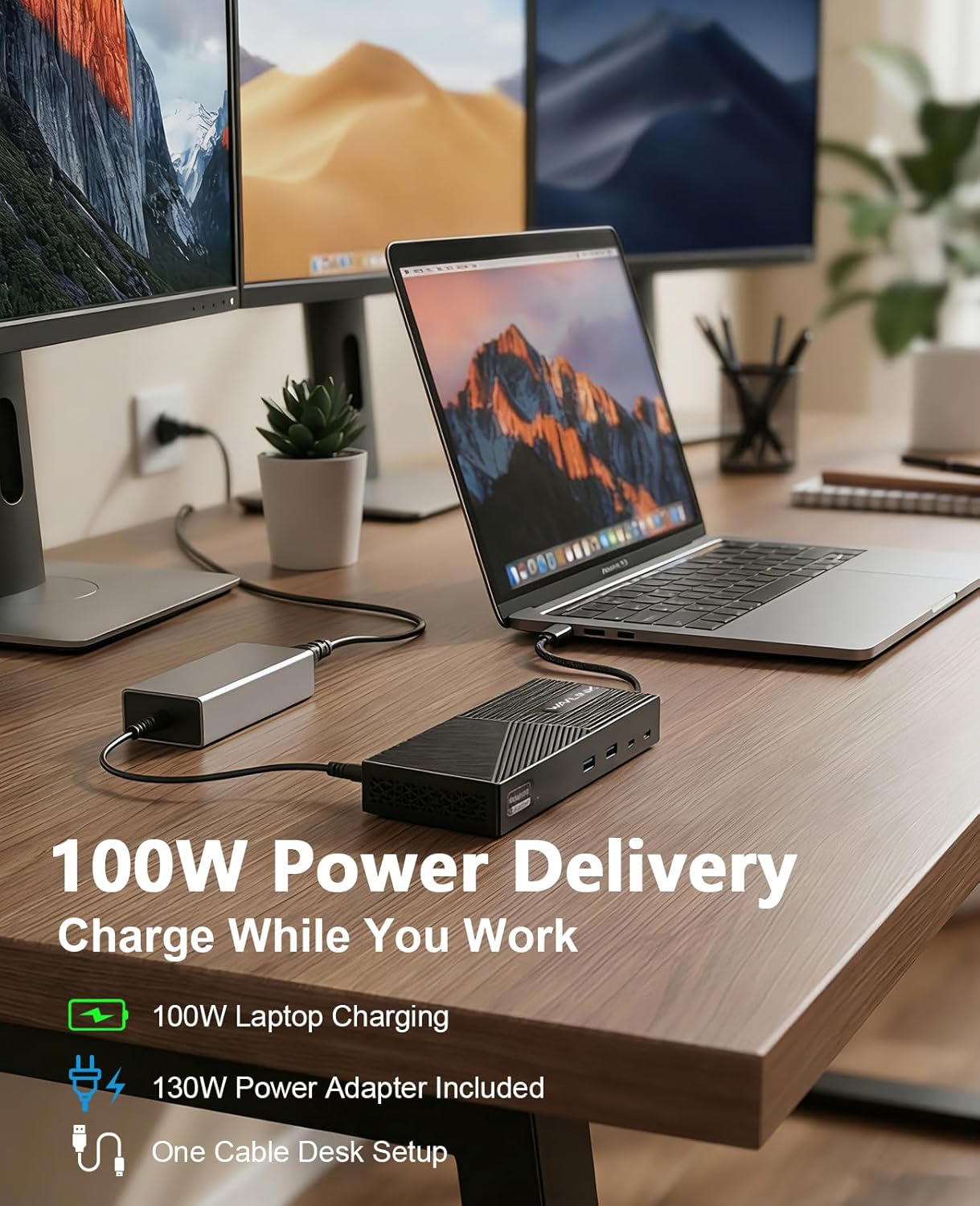
The WAVLINK Displaylink Docking Station also lists Gigabit Ethernet and 100W laptop power delivery, with a 130W adapter included.1 The listing gives a total of 15 ports, but the available details don’t enumerate every individual port.1 That leaves some uncertainty if you need to plan around every connector. The WAVLINK Displaylink Docking Station’s advertised port mix covers display, USB, network and charging needs, but check the full port layout against your peripherals before deciding whether it replaces your existing connections.1 The WAVLINK Displaylink Docking Station is the model named in the listing, rather than a tested port inventory.1
How much does the dock cost, and what does its warranty cover?
The Amazon listing gives the WAVLINK Displaylink Docking Station a price of SEK1252.48 and a list price of SEK1,467.77.1 It also reports the item as in stock.1 These are listing details, not a guarantee that the price or availability will remain unchanged.
The specified warranty duration is two years.1 The listing mentions WAVLINK warranty support, customer service and replacement assistance, but it doesn’t provide specific warranty terms or exclusions.1 That means the duration is stated, while the scope of cover is not clear from the available information. Before relying on the warranty, check the current terms with the seller or manufacturer, including what is covered and how replacement assistance works. The WAVLINK Displaylink Docking Station’s listed price and warranty duration give you two useful purchase details, but the listing alone doesn’t answer all questions about warranty coverage.1 The WAVLINK Displaylink Docking Station’s support details should not be read as a substitute for the missing terms.1

How do you install DisplayLink software and set up three external Mac displays?
The listing says MacBooks with M1–M5 chips require a DisplayLink driver.1 It also says the USB-C connection must support video output.1 The supplied product information doesn’t give a software download source, an installation sequence, macOS permission steps or instructions for configuring displays. Those setup details are unavailable here, so we can’t provide a verified step-by-step installation guide.
The advertised connection uses one USB-C cable for laptop charging, displays and peripherals, with 100W power delivery.1 That describes the intended one-cable setup, not the missing software procedure. Before connecting the WAVLINK Displaylink Docking Station, confirm the required driver source and setup steps with the seller or manufacturer, and check whether your particular USB-C port supports video output.1 The WAVLINK Displaylink Docking Station listing makes the driver requirement clear for the named MacBook chips, but leaves the installation details unspecified.1 The WAVLINK Displaylink Docking Station’s one-cable claim doesn’t tell you how to configure the displays in macOS.1
What limitations affect streaming, gaming and use while the Mac is asleep?
The listing says the dock isn’t recommended for gaming or HDCP-protected 4K streaming.1 It doesn’t describe DRM playback behavior beyond that warning, and it provides no gaming performance results. The available information also doesn’t state whether connected displays stay active while a Mac is asleep, so that behavior is unknown.
The product description says the dock is designed for daily 8–10 hour use and has heat-dissipation vents, but those are advertised claims, not independently tested results.1 Don’t treat them as evidence of measured temperature or sustained performance. The WAVLINK Displaylink Docking Station is presented as a work and home-office option, while its own listing cautions against two use cases that may matter to some buyers.1 If your setup depends on protected video playback, gaming, or displays remaining active during sleep, the available product information doesn’t resolve those questions. The WAVLINK Displaylink Docking Station’s stated use claims don’t substitute for tests of your specific applications.1 The WAVLINK Displaylink Docking Station’s sleep behavior remains unspecified.
How can you check whether this WAVLINK dock fits your Mac and display setup?
Start by checking that your laptop fits the listing’s supported connection types: USB-C, USB4 or Thunderbolt 3/4 notebooks.1 The USB-C connection must also support video output.1 The listing says USB-A-only laptops and gaming consoles aren’t supported.1
Next, compare your intended screens with the stated output arrangement: 4K 60Hz HDMI plus two 2K 60Hz HDMI/DisplayPort outputs.1 If you use a Mac, verify your exact model and macOS version with the seller or manufacturer; the listing says M1–M5 MacBooks need a DisplayLink driver but doesn’t specify compatible macOS versions.1 The WAVLINK Displaylink Docking Station may fit a work or home-office multi-monitor setup, which the listing describes as a target use, but it isn’t recommended for gaming or HDCP-protected 4K streaming.1 Check your ports, screens and Mac software requirements before choosing the WAVLINK Displaylink Docking Station.1 The WAVLINK Displaylink Docking Station’s advertised compatibility is not a substitute for confirming your exact configuration.1

Pros and Cons
Pros
- The listing advertises up to three external monitors, with a maximum stated combination of 4K + 2K + 2K.1
- Six USB ports—two USB-C and four USB-A—are specified for 10Gbps transfer each.1
- The listing claims 100W laptop power delivery and includes a 130W power adapter.1
- A two-year warranty duration is specified.1
Cons
- M1–M5 MacBooks require a DisplayLink driver, and the USB-C connection must support video output.1
- The available information doesn’t specify compatible macOS versions or give installation and display-configuration instructions.1
- The listing doesn’t recommend the dock for gaming or HDCP-protected 4K streaming.1
- The listing gives a total of 15 ports but doesn’t enumerate every individual port in the available details.1
Final Verdict
Consider the WAVLINK Displaylink Docking Station if your work or home-office setup needs up to three displays and your laptop has a compatible USB-C, USB4 or Thunderbolt 3/4 connection with USB-C video output.1 Mac buyers should verify the exact model and macOS requirements because the listing requires a DisplayLink driver for M1–M5 MacBooks but doesn’t specify macOS versions.1 Don’t choose it for gaming or HDCP-protected 4K streaming, which the listing does not recommend.1
Key Takeaways
- Check that your USB-C connection supports video output before purchase.1
- For a MacBook with an M1–M5 chip, confirm DisplayLink driver requirements and verify your exact macOS compatibility.1
- Compare your monitors with the stated 4K 60Hz plus two 2K 60Hz output arrangement.1
- Avoid choosing the dock for gaming or HDCP-protected 4K streaming, which the listing does not recommend.1
Frequently Asked Questions
Does the dock support three monitors on an M-series Mac?
The listing advertises up to three external displays and says M1–M5 MacBooks require a DisplayLink driver; the USB-C connection must support video output.1
Which resolutions and refresh rates are listed for three displays?
The stated arrangement is 4K 60Hz HDMI plus two 2K 60Hz HDMI/DisplayPort outputs.1
Does the dock work for gaming or protected 4K streaming?
The listing says the dock isn’t recommended for gaming or HDCP-protected 4K streaming. It provides no gaming test results or further details about DRM playback.1
What warranty duration is specified?
The listing specifies a two-year warranty, but the available details don’t state its terms or exclusions.1
Sources
Check today’s price and the exact model on Amazon.