

Disclosure: ByteWisePicks.com is reader-supported. Some links on our site are affiliate links, which means we may earn a commission if you buy through them, at no extra cost to you. As an Amazon Associate, we earn from qualifying purchases. This guide is research-based: it explains features and standards using the technical sources listed at the end. It is not a hands-on review of any product.
The guide
Shopping for wireless earbuds can feel like reading a starship control panel. LDAC. IPX7. Hybrid ANC. Bluetooth 6.0. Forty-eight hours of playtime. Six mics. Every listing promises studio sound, total silence, and a battery that outlasts the heat death of the universe.
The truth is simpler. A few features make a real difference. Many others are marketing noise, and some product listings contain specs that don't even make sense.
This guide explains what each feature actually does, which ones matter for you, and the warning signs that tell you to keep scrolling. No single product is the star here. The goal is to help you shop smarter, whichever pair you end up buying.
The Quick Answer
If you only read one section, read this one:
- Fit matters more than almost anything else. A good seal improves bass, noise blocking, and comfort. Look for several ear-tip sizes in the box.
- Your phone decides which "premium audio" features you can use. iPhones use AAC. LDAC and aptX only help on Android phones that support them.
- Treat battery and noise-cancelling numbers as best-case claims. Look for battery life with noise cancelling on, not just the biggest total.
- Water ratings should be a real IPX code. "IPX4" means sweat and splashes. "Waterproof" with no number means nothing.
- Bluetooth version numbers don't improve sound by themselves. Don't pay extra just for a bigger number.
- Expect the battery to wear out in a few years. Most earbud batteries can't be replaced, so a good warranty matters.
Step 1: Pick Your Style
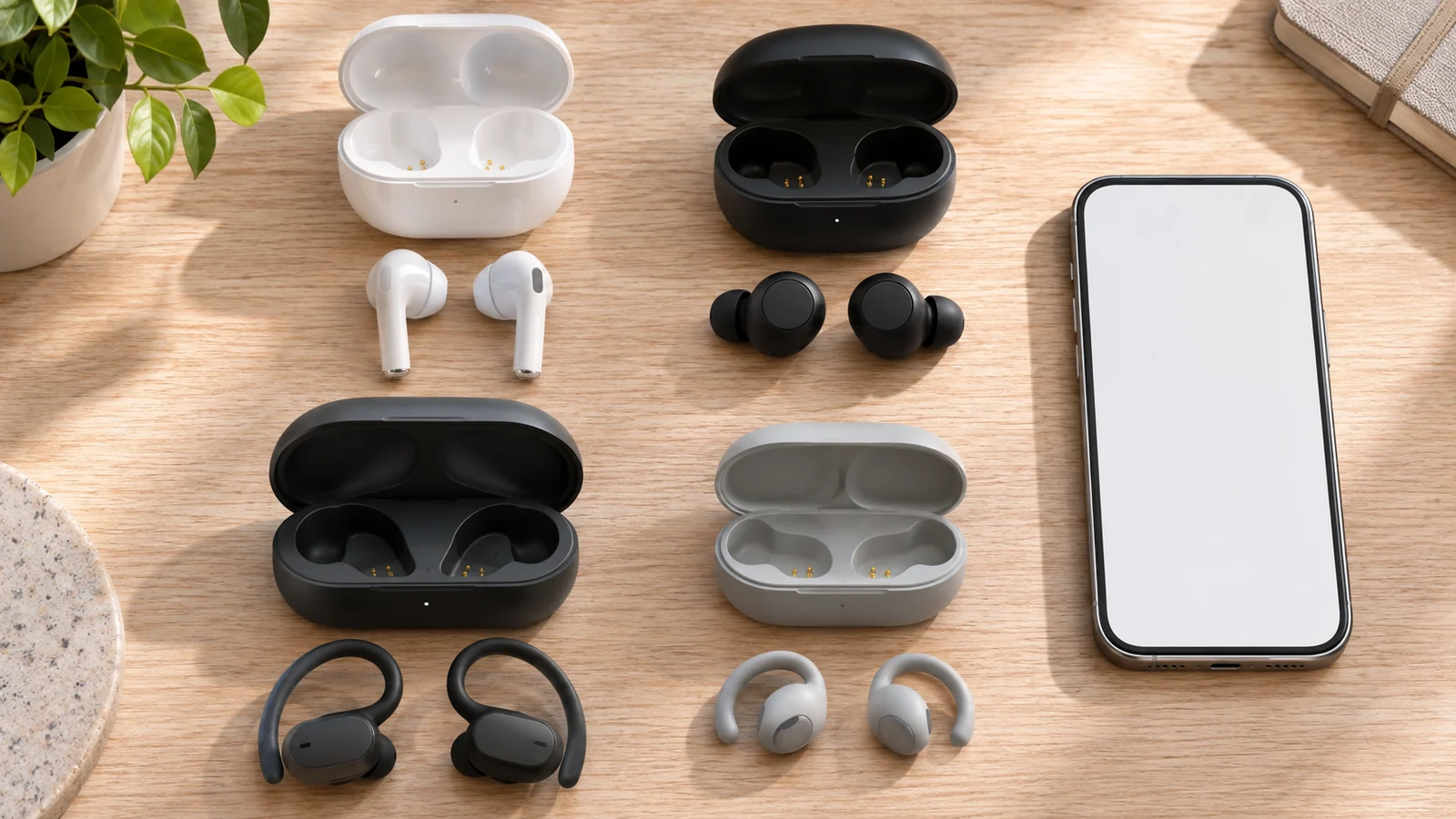
Not all "earbuds" sit in your ear the same way. The style changes comfort, noise blocking, and safety.
| Style | How it fits | Best for | Watch out for |
|---|---|---|---|
| Sealed in-ear (silicone or foam tips) | Plugs into the ear canal | Commuting, travel, noise cancelling | Can feel "plugged up" for some people |
| Open-fit / semi-in-ear (no tips) | Rests in the outer ear | People who dislike tips, office use | Weaker bass, lets more noise in |
| Sport / ear-hook | Hook wraps behind the ear | Running, gym | Bulkier, harder to wear with glasses |
| Open-ear / bone conduction | Sits outside or near the ear canal | Outdoor running, cycling, staying aware | Less bass, sound leaks to others, little noise blocking |
Pros of sealed in-ear: The best noise blocking and the fullest bass.
Cons: Fit is personal. A bad fit ruins both comfort and sound.
Safety note: If you run or bike near traffic, consider an open-ear style or use transparency mode (covered below). Being able to hear a car coming is a feature, not a bug.
Step 2: Fit and Ear Tips (The Most Underrated Feature)
Here's the secret most listings bury: the seal between the ear tip and your ear canal does a huge amount of the work.
A good seal:
- Blocks outside noise on its own. This is called passive isolation, and it needs no battery.
- Makes noise cancelling work properly.
- Gives you real bass. A loose fit makes even great earbuds sound thin.
Audio maker Sennheiser explains that the right tip size and a proper seal improve both comfort and noise cancelling, and suggests trying a different size if cancellation seems weak.
What to look for:
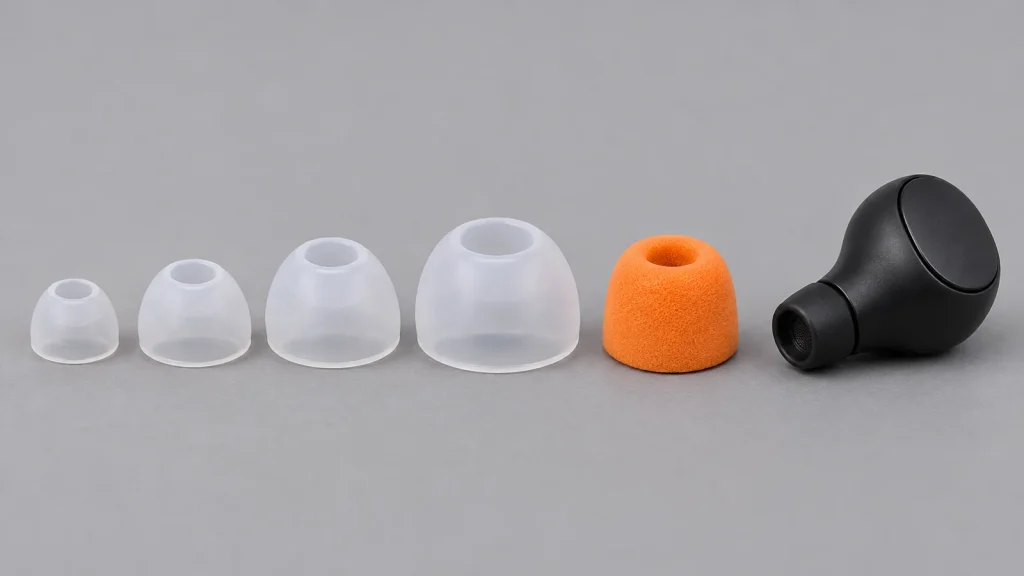
- Several tip sizes in the box: at least small, medium, and large. Some brands include extra-small or extra-large.
- Foam tips (sometimes included, or sold separately) mold to your ear and often seal better than silicone, but they wear out faster.
- An in-app fit test, offered by some brands, plays a tone and checks your seal.
Quick self-test: With the earbuds in but no music playing, speak out loud. If your voice sounds muffled, like talking with your ears covered, you probably have a good seal.
Step 3: Sound Quality, Explained Without the Hype
Drivers: bigger isn't automatically better
The driver is the tiny speaker inside each earbud. Listings love to brag about driver size ("13mm!"). A bigger driver can move more air, but tuning, build quality, and fit matter far more. Treat driver size as a minor detail, not a deciding factor.
Codecs: the "language" your phone uses to send music
Bluetooth can't send music at full quality, so your phone squeezes (compresses) it first. The method it uses is called a codec. Both your phone and your earbuds must support the same codec, or they fall back to the basic one.
| Codec | Plain-English summary | Works with |
|---|---|---|
| SBC | The basic codec every Bluetooth device supports | Everything |
| AAC | Good quality; the best option on Apple devices | iPhone, iPad, Mac, most Android phones |
| aptX / aptX Adaptive | Qualcomm's codecs; Adaptive also lowers delay | Many Android phones (mainly with Qualcomm chips) |
| LDAC | Sony's high-bitrate codec, up to 990 kbps | Many Android phones; not iPhone |
| LC3 | The newer, more efficient codec that comes with "LE Audio" | Newer phones and earbuds that support LE Audio |
The big takeaway: For regular Bluetooth headphones, iPhones use AAC or SBC, not LDAC or aptX. If you own an iPhone, paying extra for LDAC gets you nothing. Android owners with a compatible phone can benefit from LDAC or aptX.
What about "Hi-Res Audio" stickers? Hi-Res claims over Bluetooth generally depend on a high-bitrate codec like LDAC, and a phone that supports it, and high-resolution music files. If any piece is missing, the sticker is decoration.
Honest reality check: Codec differences are real but often subtle. Fit, tuning, and EQ usually make a bigger difference to what you hear than whether you're on AAC or LDAC.
EQ and apps
Many earbuds come with an app that lets you adjust the EQ (bass, mids, treble). This is genuinely useful. It lets you fix sound you don't love. Some apps also include hearing-based personalization.
Pros: You can tune the sound to your taste, and some apps add firmware updates and extra features.
Cons: Apps from lesser-known brands may be clunky, require an account, or stop being updated.
Step 4: Noise Cancelling (ANC), Transparency, and What the Numbers Mean
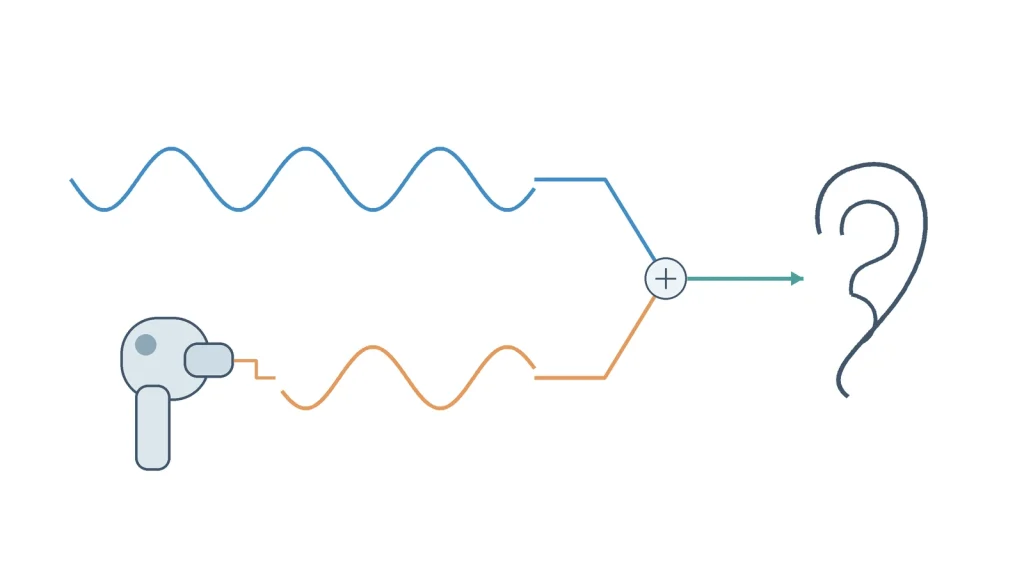
Active Noise Cancelling (ANC) uses tiny microphones to "hear" outside noise. The earbuds then play an opposite sound wave that cancels it out. It's a bit like Ghostbusters crossing the streams, only in reverse: two waves meet and cancel each other instead of making everything explode.
What ANC is good and bad at
- Good at: Steady, low rumbles such as airplane engines, train noise, air conditioners, and refrigerator hum.
- Weaker at: Voices, sudden sounds, and high-pitched noises. Your ear tips' seal handles more of those.
Think of it as a team effort: the ear tips block higher-pitched sounds, and ANC handles the low rumble.
Types of ANC you'll see on listings
- Feedforward: Mics on the outside listen to incoming noise.
- Feedback: Mics on the inside listen to what actually reaches your ear.
- Hybrid: Uses both. Usually more effective, but the quality of the tuning matters more than the label.
About those "-45dB" claims
A bigger decibel number sounds impressive, but a single number tells you nothing about which sounds get reduced. That's what actually decides whether a plane gets quiet or a coworker's voice still cuts through. These figures are usually manufacturer measurements under their own test conditions. Compare them cautiously.
Transparency mode
Transparency (also called "ambient" or "aware" mode) uses the mics to let outside sound in, so you can hear announcements, traffic, or a coworker without removing the earbuds.
Pros of ANC: Quieter commutes, and you can listen at lower volumes, which is better for your hearing.
Cons: It uses more battery. Some people feel a slight pressure or "suction" sensation. Budget ANC can add a faint hiss.
Step 5: Battery Life (and How Listings Inflate It)
Battery claims usually come in two numbers:
- Per charge: How long the earbuds last before going back in the case. This is the number that matters on a long flight.
- Total with case: Earbud time plus the extra charges stored in the case.
Read the fine print. Listings often measure battery at a low volume (such as "at 50% volume") and with noise cancelling off. Your real-world time will usually be lower, especially with ANC on. Good listings give both ANC-on and ANC-off figures. If only one giant total is shown, assume it's the best case.
Other battery features:
- Fast charging: For example, "10 minutes = 2 hours." Very handy.
- Wireless charging case: A nice convenience if you already own a charging pad.
- USB-C charging: This should be standard on any new pair.
The part nobody puts on the box: batteries wear out
Earbuds use tiny lithium batteries that lose capacity over time. Consumer testing site SoundGuys estimates earbud batteries typically last about two to three years with heavy use, or roughly 300–500 charge cycles. A Which? investigation found that manufacturers generally use non-replaceable batteries because they are the most compact option available.
What this means for you:
- Check the warranty length before buying.
- Treat earbuds as a multi-year purchase, not a lifetime one.
- Spending a lot doesn't make the battery last forever.
Step 6: Bluetooth Version: What It Does (and Doesn't) Do
Listings love to shout "Bluetooth 5.4!" or "Bluetooth 6.0!" Here's the honest version:
- Newer Bluetooth versions mainly improve connection stability, power efficiency, and features, not sound quality on their own.
- Bluetooth is backward compatible. New earbuds work with older phones, but only at the features both devices share.
- A newer version doesn't fix a weak codec, a poor fit, or bad tuning.
What's actually worth looking for:
- Multipoint: Connects to two devices at once, such as your phone and laptop. Great for remote workers. It's a separate feature, so check that the listing names it specifically.
- LE Audio / LC3: The newer Bluetooth audio system. It can improve efficiency and enables Auracast, which lets one device broadcast audio to many listeners. Think of a silent TV in a gym or an airport gate announcement. It only works if your phone and earbuds both support it, so look for "LE Audio" written explicitly.
Bottom line: A recent Bluetooth version is fine, but don't pay extra for the number alone.
Step 7: Calls and Microphones
If you take work calls, mic quality matters as much as music quality.
- Listings often brag about mic counts ("6 mics!"). More mics can help filter background noise, but the processing behind them matters more than the count.
- Look for wind-noise reduction if you take calls outdoors.
- The honest test is real-world call samples in independent reviews. Manufacturer claims alone can't tell you how you'll sound to the person on the other end.
Step 8: Gaming and Video: Watch for Lag
Bluetooth adds a small delay, called latency, between the picture and the sound. Standard Bluetooth connections commonly add roughly 150–200 milliseconds. For music, you won't notice. For games and videos, you might.
- Most phone video apps compensate automatically, so movies usually look fine.
- Games are the problem. Footsteps or gunshots can arrive a beat late.
- Look for a "gaming mode" or "low-latency mode," or codecs built for low delay such as aptX Adaptive or LC3.
- Serious gamers often use earbuds that come with a 2.4GHz USB dongle, which can cut the delay considerably.
Pros of gaming mode: Better sync.
Cons: It may reduce sound quality, battery life, or turn off ANC.
Step 9: Water and Sweat Resistance: Decode the IP Rating
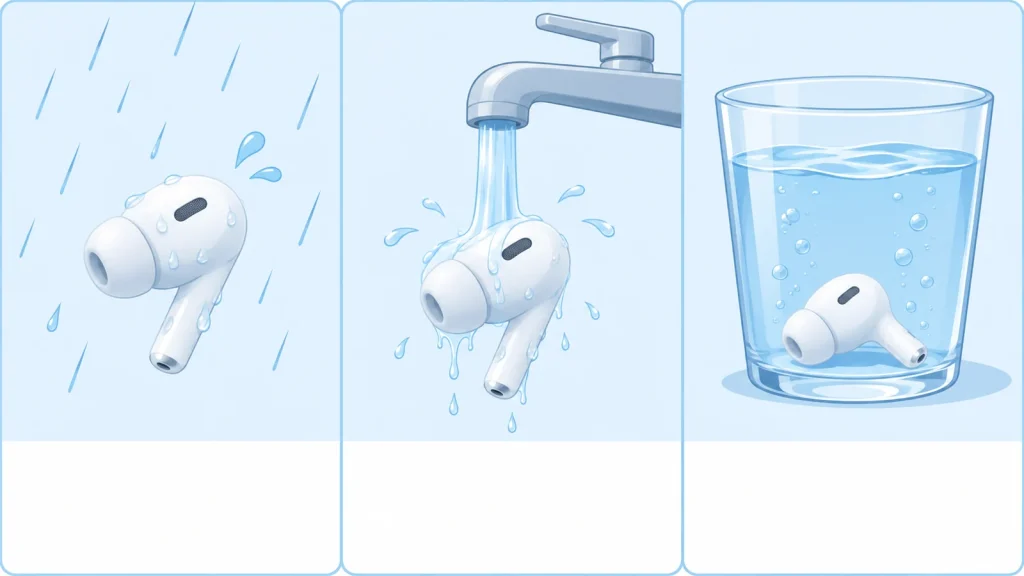
The IP rating (Ingress Protection) is an international standard. On earbuds it usually looks like IPX4. The "X" means dust wasn't tested, and the number is the water rating.
| Rating | What it means | Good for |
|---|---|---|
| No rating | Not tested | Keep away from water and sweat |
| IPX4 | Splashes from any direction | Sweaty workouts, light rain |
| IPX5 | Low-pressure water jets | Heavier sweat, rain |
| IPX7 | Submerged up to 1 meter for 30 minutes | Accidental drops in the sink |
| IPX8 | Beyond 1 meter; manufacturer sets the exact conditions | Check the fine print |
| IP5X / IP6X (first digit) | Dust protection | Outdoor, dusty, or beach use |
Important: Even IPX7 and IPX8 earbuds aren't automatically swimming earbuds. Bluetooth signals don't travel well through water, so swimming usually requires earbuds with built-in music storage. Also, the charging case is often not water-resistant at all. Check whether the rating covers the case.
Red flag: A listing that says only "waterproof," or uses a nonstandard code like "IP7" with no X or second digit, or shows different ratings in different parts of the listing. Real IP ratings are written in a specific format.
Step 10: Controls, Apps, and the "Little" Features
These rarely make or break a purchase, but they affect daily life:
- Touch vs. button controls: Touch looks sleek but can trigger accidentally when you adjust the fit. Physical buttons are more reliable but can push the earbud into your ear.
- Customizable controls: Nice to have, since not everyone wants "tap twice to skip."
- Auto-pause: Pauses the music when you take an earbud out.
- Single-earbud mode: Lets you use just one bud, for calls or for staying aware.
- Find-my / locate features: Helpful if you're prone to losing a bud in the couch.
- Firmware updates: A good sign the brand supports its product after the sale.
- Ecosystem features: Apple, Samsung, and Google earbuds have extra perks, like fast pairing and auto-switching, that work best with their own phones.
How Much Should You Spend?
These ranges are approximate and describe the general market, not specific products:
| Tier | What you typically get | What you often give up |
|---|---|---|
| Budget (roughly under $50) | Basic sound, decent battery, sometimes basic ANC | ANC quality, call quality, app support, long-term reliability |
| Midrange (roughly $50–$150) | Better ANC, an app with EQ, multipoint, better mics | Some polish, ecosystem extras |
| Premium (roughly $150–$330) | The strongest ANC, the best call quality, refined apps, longer support | Your wallet's feelings |
The honest truth about budget earbuds: A long feature list at a low price isn't always a deal. Budget listings sometimes advertise the same feature names as premium models, like "hybrid ANC" or "Hi-Res," but the results can vary widely. The words on a listing aren't the same as how well the feature works.
Red Flags: What to Avoid
Before you click "add to cart," watch for these warning signs:
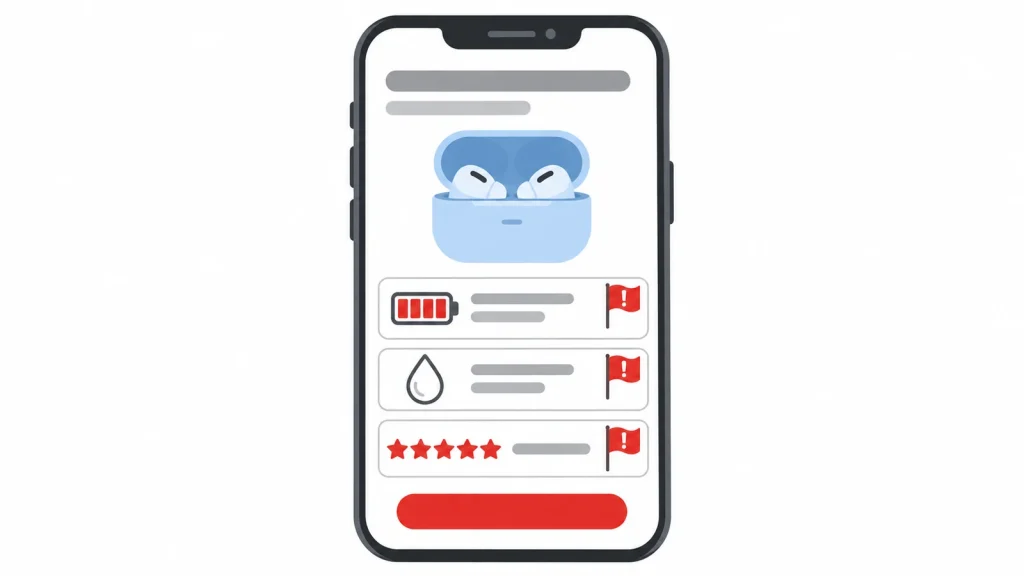
- 🚩 Non-standard or vague water ratings: "Waterproof," "IP7," or conflicting ratings in the same listing.
- 🚩 Battery claims with no conditions: A giant total ("100 hours!") with no per-earbud figure, no ANC-on figure, and no test volume.
- 🚩 "Hi-Res" with no high-bitrate codec listed, or Hi-Res marketing aimed at iPhone users.
- 🚩 Specs that don't match each other: different Bluetooth versions, ratings, or battery numbers in different parts of the same listing.
- 🚩 Keyword-stuffed titles that list every phone brand ever made. That isn't a compatibility guarantee.
- 🚩 No clear brand, warranty, or support contact. If something breaks, you want someone to call.
- 🚩 Suspicious reviews: Lots of vague five-star reviews posted in a short window, or reviews that clearly describe a different product. In 2024 the FTC finalized a rule banning fake reviews, including AI-generated ones, and banning businesses from paying for positive or negative reviews. But that doesn't mean every fake review is gone. Read the three-star reviews. They're often the most honest.
- 🚩 Medical-sounding claims about protecting or improving your hearing, unless the product is specifically cleared for that purpose.
Hearing Safety: Protect the Ears You've Got
Earbuds sit very close to your eardrums, and noise-induced hearing loss is permanent. The good news: it's preventable.
- The World Health Organization and ITU standard for safe listening sets a weekly limit of 80 dB for 40 hours per week for adults, and 75 dB for children.
- A simpler rule many audiologists use is the 60/60 rule: no more than 60% of maximum volume, for no more than 60 minutes at a time, then take a break.
- If people near you can hear your music, it's too loud.
- Use ANC or a good seal. Blocking outside noise means you don't have to crank the volume to hear over it.
- Turn on your phone's hearing tools. Most phones can warn you about loud headphone audio or cap the maximum volume.
- Warning signs: ringing in the ears or muffled hearing after listening. If that happens, talk to a doctor or audiologist.
This section is general information, not medical advice.
Keeping Them Clean (and Working)
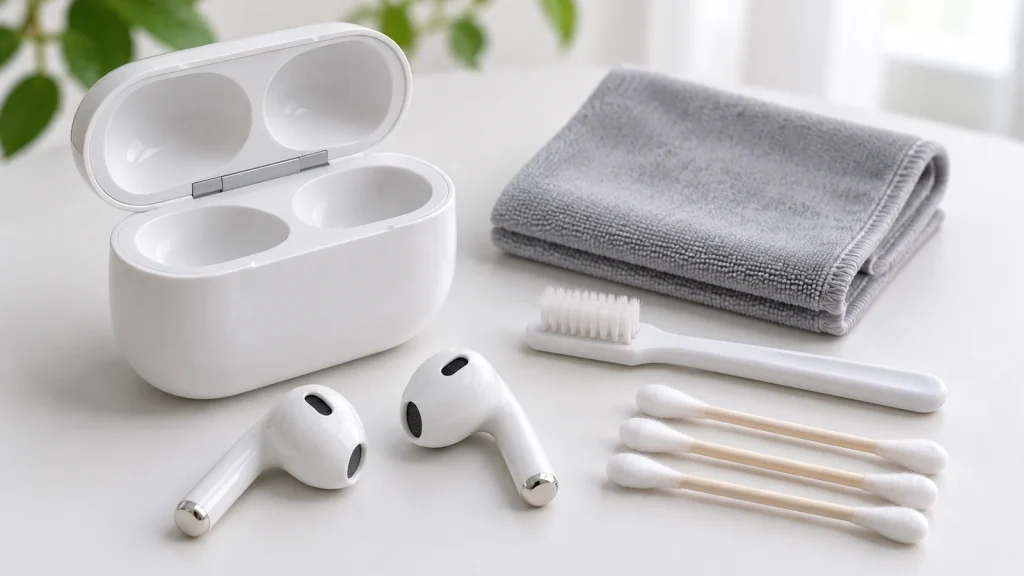
Earwax buildup can muffle sound and block charging contacts. Most manufacturers give similar care advice. Apple's guidance for its earbuds is a good general model: use a soft, dry, lint-free cloth. If needed, lightly dampen the cloth with isopropyl alcohol for the case. Keep liquid out of charging ports, and don't use abrasive materials.
General tips (check your manufacturer's instructions first):
- Remove silicone tips and wipe them separately. Let everything dry fully before putting it back.
- Use a soft, dry brush to clear debris from the mesh grilles.
- Never run earbuds or the case under water, even if they're water-resistant.
- Don't poke sharp objects into the speaker mesh or charging contacts.
- Keep earbuds out of hot cars. Heat is hard on batteries.
Questions Shoppers Usually Ask
Will these earbuds work with my iPhone or Android phone?
Almost all Bluetooth earbuds pair with both. What changes is the extras: codecs like LDAC and aptX don't work on iPhone, and some app features or quick-pairing tricks are built for specific brands.
Do I really need noise cancelling?
If you commute, fly, or work somewhere noisy, ANC is worth it. If you mostly listen at home or while running outdoors, a good fit or an open-ear style may serve you better.
Why do my earbuds sound "thin" with no bass?
It's almost always the fit. Try a larger ear tip first. A loose seal kills bass.
Can I swim with IPX7 or IPX8 earbuds?
Usually not with streaming music, because Bluetooth doesn't travel well through water. Swimming generally calls for earbuds with built-in music storage, and you should check the manufacturer's swim guidance.
Why does my battery life seem shorter than advertised?
Listings test under ideal conditions, often at lower volume and with ANC off. Higher volume, ANC, and cold weather all reduce real-world playtime. Batteries also lose capacity as they age.
Does a newer Bluetooth version mean better sound?
Not by itself. Newer versions mainly improve stability and efficiency. Sound depends more on the codec, tuning, and fit.
Why is there lag when I play games?
That's Bluetooth latency. Turn on a gaming or low-latency mode if your earbuds have one, or consider earbuds with a USB dongle for serious gaming.
Are expensive earbuds worth it?
Often for ANC and call quality, yes. For basic music listening, a well-fitting midrange pair can sound excellent. Spend where it matters to you.
Our picks
Fhumsh A10 Wireless Earbuds (White)
Review the Fhumsh A10 wireless earbuds: listed at $19.99, with claimed 8-hour playback per charge, 50-hour total use, Bluetooth 6.0 and ENC noise control.
Research-based pick
UZKO DY33 Wireless Earbuds
Review the UZKO DY33 wireless earbuds: listing claims, battery life, Bluetooth 6.0, ANC, compatibility, price, and what buyers still need to verify.
Research-based pick
TOZO NC9 Pro Noise-Cancelling Wireless Earbuds
Review the TOZO NC9 Pro earbuds: listed price, battery claims, ANC modes, app features, compatibility details, included accessories, and what remains unverified.
Research-based pick


Your Pre-Purchase Checklist
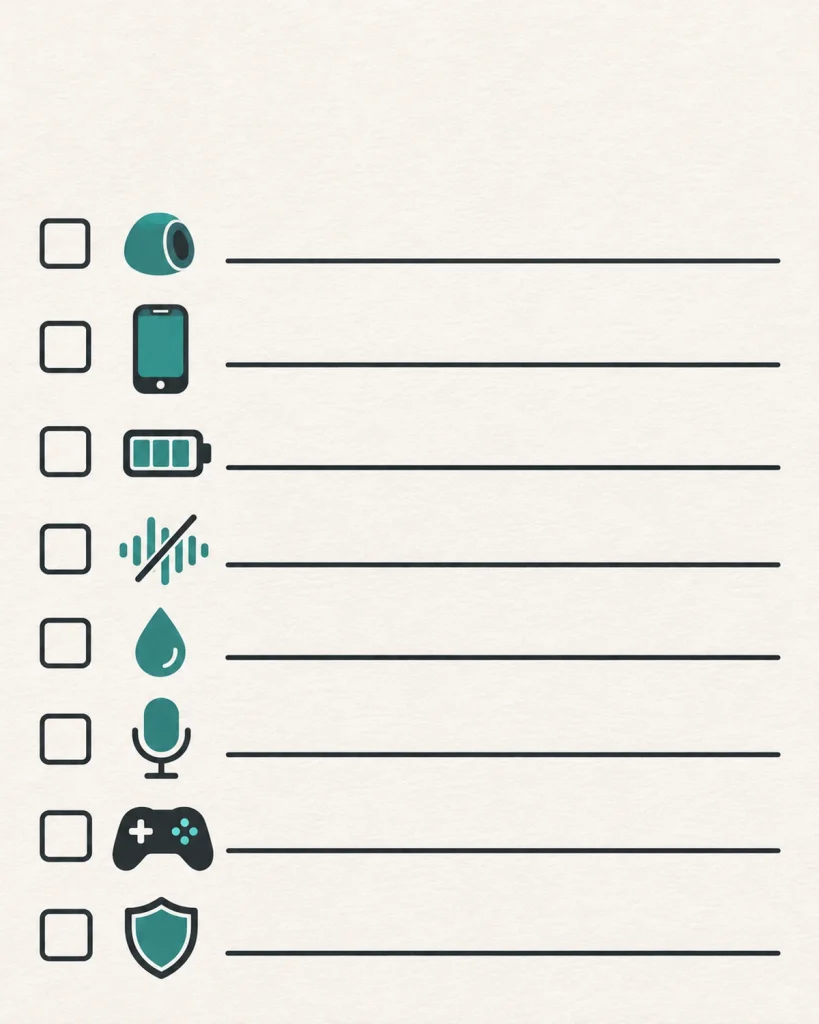
Before you buy, run through this list. It's your universal translator for earbud listings.
- I know which style fits my life: sealed in-ear, open-fit, sport hook, or open-ear.
- The box includes multiple ear-tip sizes, ideally three or more.
- The earbuds support the best codec my phone can use: AAC for iPhone; aptX or LDAC for compatible Android phones.
- If I want noise cancelling, I've found battery life with ANC on, not just the biggest total.
- The water rating is a real IP code (like IPX4 or IPX5) that matches how I'll use them.
- I need multipoint for phone plus laptop: ☐ yes ☐ no. If yes, the listing names it specifically.
- If I game, there's a low-latency or gaming mode.
- If I take calls, I've looked for independent call-quality impressions, not just mic counts.
- The brand offers a clear warranty and support contact.
- I've checked the reviews for red flags and read some three-star reviews.
- I'll keep the volume at a safe level. My future self says thanks.
Get these right, and you'll end up with earbuds that sound great, fit well, and last. In other words, you'll have chosen wisely.
Sources and Further Reading
- WHO — Safe listening devices and systems: a WHO-ITU standard
- Engadget — The 60-60 rule for earbuds and hearing safety
- KidsHealth — Earbuds and the 60%/60-minute rule
- Digital Trends — Bluetooth codecs and Apple device support
- ListenUp — Bluetooth Codecs Explained (AAC, aptX, LDAC, LC3)
- beyerdynamic — Bluetooth audio codecs simply explained (LDAC bitrate)
- SoundGuys — What is LE Audio and LC3?
- Bluetooth SIG — LE Audio FAQs
- Idioteq — Bluetooth versions and codecs: do they affect sound quality?
- Sennheiser Support — What impacts ANC performance on true wireless earbuds
- The Gadgeteer — What ANC in wireless earbuds actually blocks
- Engadget — Active vs. passive noise cancelling explained
- Bose Support — IP ratings explained
- Yamaha Hub — What is an IPX rating?
- Headphonesaddict — IPX ratings explained
- SoundGuys — How long should earbuds last?
- Which? — Can you replace the batteries in wireless headphones?
- Headphonesaddict — Game mode in headphones and earbuds (latency)
- FTC — Trade Regulation Rule on the Use of Consumer Reviews and Testimonials
- Apple Support Community — Apple's cleaning guidance for AirPods and case (quoted)
Features, standards, and compatibility can change. Always check the manufacturer's specifications and support pages before buying.