

Disclosure: ByteWisePicks.com is reader-supported. Some links on our site are affiliate links, which means we may earn a commission if you buy through them, at no extra cost to you. As an Amazon Associate, we earn from qualifying purchases. This guide is research-based: it explains processor features using manufacturer specifications and the technical sources listed at the end. We did not benchmark these processors ourselves.
The guide
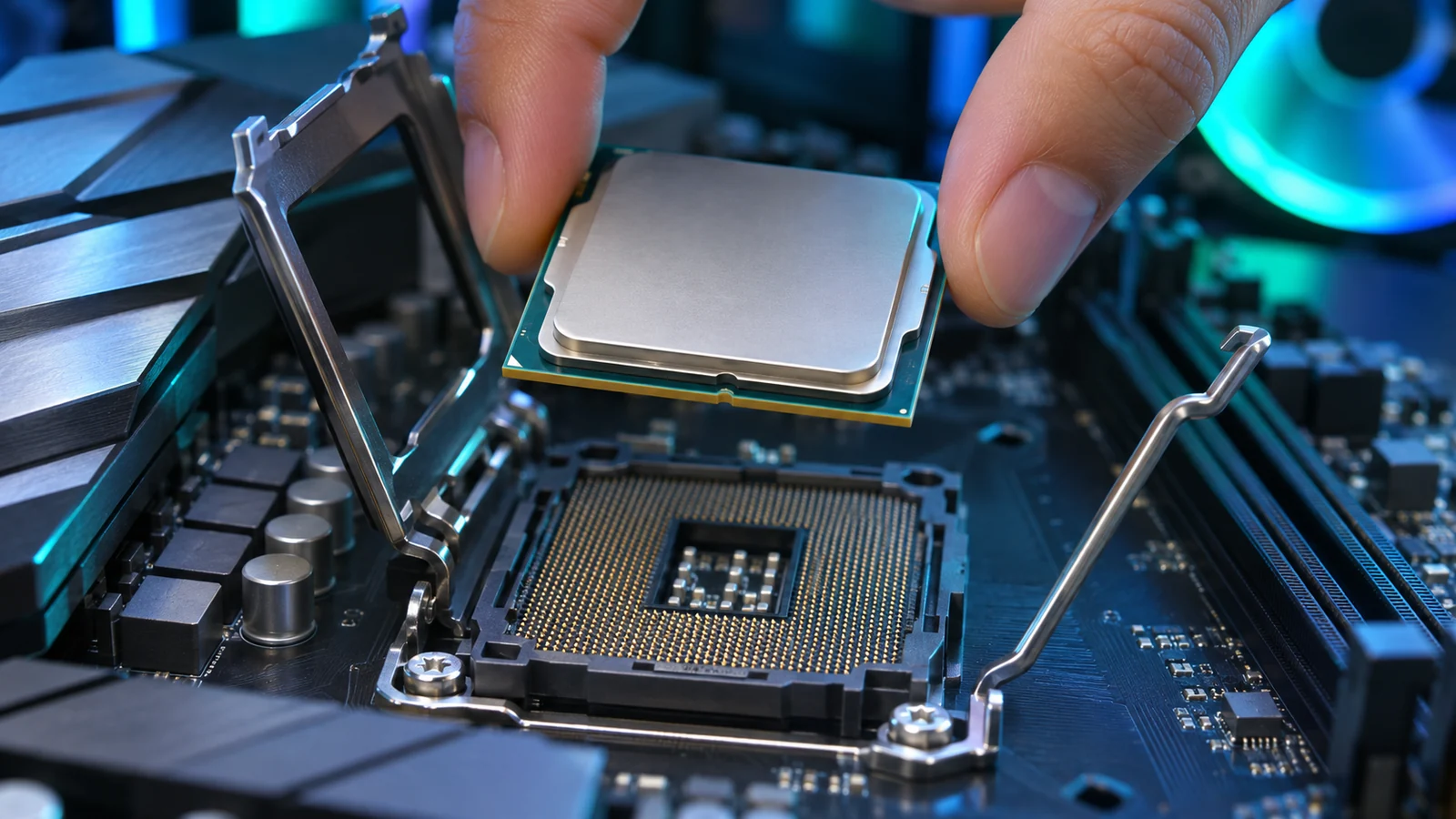
The processor, or CPU, is the brain of your computer. It runs your apps, juggles your browser tabs, compiles your code, and tells your graphics card what to draw in games. It's also one of the most confusing parts to shop for.
Cores, threads, gigahertz, cache, sockets, P-cores, E-cores, X3D, KF… it can feel like you need a decoder ring from a cereal box just to read the box. Spoiler: you mostly don't. Once you know what each spec does, picking a CPU becomes a pretty logical decision.
This guide explains the features that make one processor different from another, what matters for business users, developers, and gamers, and the traps to avoid. It covers desktop processors from Intel and AMD.
The Quick Answer
If you only read one section, read this one:
- Buy for what you actually do. Office work doesn't need a flagship chip. Video editing and big code builds benefit from more cores. Gaming benefits most from fast cores and big cache, and your graphics card matters even more.
- Don't compare gigahertz across brands or generations. A newer chip at a lower GHz can be faster than an older chip at a higher GHz.
- The CPU picks your motherboard. Each chip fits only one socket type, and some sockets have a better upgrade future than others.
- Check what's NOT in the box. Many desktop CPUs don't include a cooler, and some have no built-in graphics at all.
- For gaming, the graphics card comes first. A top-tier CPU paired with a weak graphics card is money in the wrong place.
- Read independent benchmarks for the apps you use. Spec sheets tell you what a chip has, not how fast it runs your work.
What a CPU Actually Does (and What It Doesn't)
Think of your computer as a restaurant kitchen:
- The CPU is the head chef. It handles orders, decisions, and anything that needs thinking in a sequence.
- The graphics card (GPU) is a huge team of line cooks doing the same simple job over and over, very fast. That's how 3D game graphics and many AI tasks get done.
- RAM is the counter space. Run out of it and even the best chef slows down.
A faster chef helps with everything, but if the line cooks are overwhelmed, or there's no counter space, upgrading the chef won't fix it. Keep that in mind when you set your budget.
The Spec Decoder: What Makes One CPU Different From Another
1. Cores and threads
A core is an independent worker inside the CPU. More cores mean more tasks running at the same time.
A thread is a stream of instructions a core works on. Some cores can handle two threads at once using a feature AMD calls SMT and Intel calls Hyper-Threading. That's why you'll see specs like "8 cores / 16 threads."
Watch out: Intel removed Hyper-Threading from its current Core Ultra 200S desktop chips, so a 24-core Core Ultra 9 has 24 threads, not 48. Intel says it still came out ahead in multi-core performance, so don't judge these chips by thread count alone.
Who needs lots of cores?
- Lots (12–24+): Video editing, 3D rendering, compiling large codebases, running several virtual machines.
- Moderate (8): Gaming, programming, streaming while gaming.
- Fewer (6): Office work, web browsing, light gaming.
Pros of more cores: Faster heavy multitasking and "parallel" work.
Cons: Costs more, uses more power, and many everyday apps and games can't use them all.
2. P-cores vs. E-cores (Intel's hybrid design)
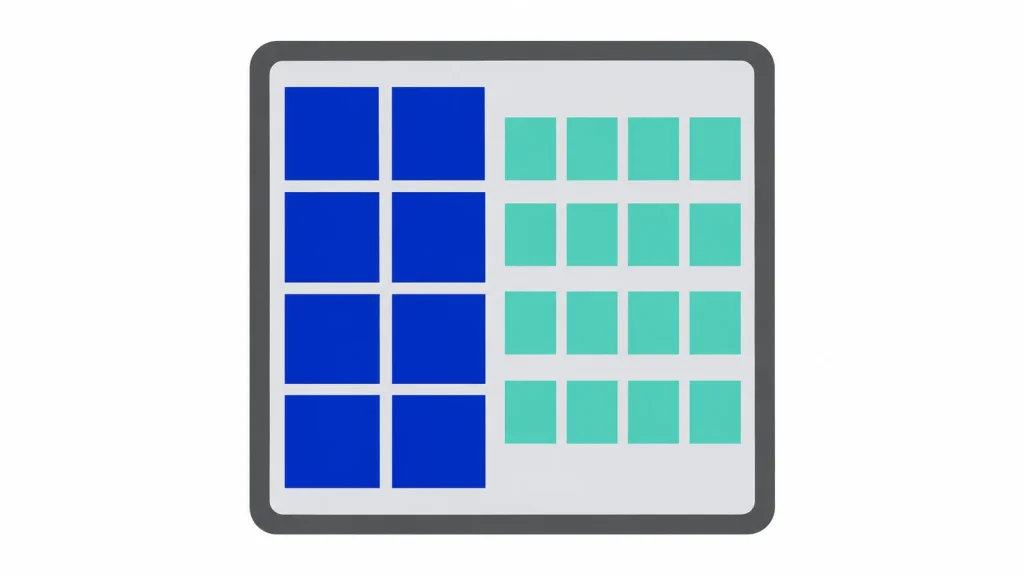
Current Intel desktop chips mix two kinds of cores:
- P-cores (Performance cores): Big, fast cores for demanding single tasks, like the main thread of a game.
- E-cores (Efficient cores): Smaller cores that handle background and parallel work efficiently.
So "24 cores (8P + 16E)" means 8 fast cores plus 16 efficient ones. It's a powerful design, but 24 hybrid cores aren't the same as 24 full-size cores. AMD's mainstream desktop chips generally use one core type, so an AMD core count and an Intel core count aren't an apples-to-apples comparison.
3. Clock speed (GHz): the most misunderstood number
Clock speed is how many cycles per second a core runs, measured in gigahertz (GHz). You'll usually see two numbers:
- Base clock: The speed it can sustain under its standard power level.
- Boost clock: The top speed it can reach for short bursts or on a few cores.
Here's the catch: GHz only compares fairly within the same family and generation. Newer designs get more work done per cycle; engineers call this IPC, or instructions per clock. A newer chip at 5.5 GHz can beat an older one at 6.0 GHz. And the "max boost" number usually applies to only one or two cores, under ideal cooling, for a short time.
Bottom line: Use GHz as a tiebreaker between two chips in the same lineup, not as a scoreboard between brands.
4. Cache: the CPU's pocket notebook
Cache is a small amount of super-fast memory built into the CPU. Your RAM is fast, but going back and forth to it still makes the CPU wait. Cache keeps frequently used data close at hand.
Cache normally doesn't get much attention, except for one product line. AMD's "X3D" chips stack extra cache on top of the cores, a technology AMD calls 3D V-Cache. Games constantly reuse data, so this extra cache can boost gaming frame rates noticeably, even though X3D chips often run at lower clock speeds than their non-X3D siblings. For example, the Ryzen 7 9800X3D has 96MB of L3 cache, versus 32MB on the Ryzen 7 9700X.
Pros of X3D: Often the fastest choice for gaming, especially sims, strategy games, MMOs, and high-refresh competitive play.
Cons: Little or no benefit for many work apps. If you mostly edit video or compile code, a non-X3D chip with more cores may be the better buy.
5. Power (TDP) and heat
Every CPU has a power rating. AMD lists a TDP, and Intel lists a Processor Base Power plus a Maximum Turbo Power. In practice:
- Higher power means more heat. More heat needs a bigger cooler, and maybe a stronger power supply.
- Spec sheets can understate real draw. For example, Intel's Core Ultra 200S desktop chips have a 125W base rating but a maximum of 250W for the Core Ultra 9 and 7 models.
- Some efficient chips run at low power by default. AMD's Ryzen 5 9600X and Ryzen 7 9700X default to 65W and offer an optional 105W mode. That mode can help heavy multi-core work, but Tom's Hardware reported it did almost nothing for gaming.
Pros of efficient chips: Quieter, cooler, cheaper to cool, lower electric bills.
Cons: Sometimes a little less peak performance in heavy all-core work.
6. Integrated graphics (or none at all)
Some CPUs include basic built-in graphics, called an iGPU, so you can plug a monitor straight into the motherboard. Others don't.
- Intel "F" or "KF" models have no integrated graphics. You must install a graphics card or you'll get no picture at all.
- Most current AMD Ryzen desktop chips include basic Radeon graphics. AMD's "G" models have stronger integrated graphics meant for PCs without a graphics card.
Why it matters: Integrated graphics are great for office PCs. Even gamers benefit from having them as a backup if a graphics card fails or you're troubleshooting.
7. The NPU (AI engine)
Newer Intel desktop chips include an NPU (Neural Processing Unit), a small engine for running certain AI features efficiently. On Intel's Core Ultra 200S desktop chips, the NPU is rated at 13 TOPS.
Honest take: For desktops in 2026, the NPU is a minor factor. It's modest in power, and serious local AI work, like running large AI models, leans much more on a powerful graphics card and plenty of memory. Don't pay extra for an NPU unless you know an app you use relies on it.
8. Socket, chipset, and upgrade future
This is the spec most shoppers skip, and it matters more than people think.
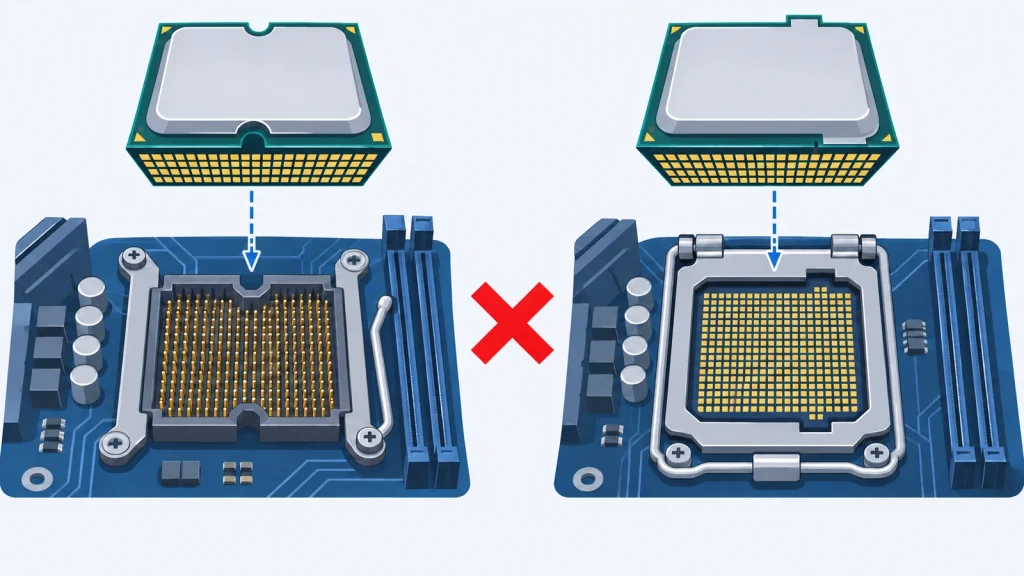
The socket is the physical connector on the motherboard. A CPU only works in a motherboard with the matching socket, and the motherboard's chipset decides which features you get.
| Platform | Socket | Upgrade outlook (as of late 2026) |
|---|---|---|
| AMD Ryzen 7000 / 9000 | AM5 | AMD confirmed at Computex 2026 that it will support AM5 through 2029, so future Ryzen chips should drop into today's boards. Expect a BIOS update to be needed. |
| Intel Core Ultra 200S | LGA 1851 | Intel's next desktop family, Nova Lake, is expected to move to a new LGA 1954 socket, so LGA 1851 is likely near the end of its road. |
| Intel 12th–14th Gen Core | LGA 1700 | Older platform; no new generations are coming. |
Why it matters: If you like upgrading just the CPU in a few years, a long-lived socket can save you from buying a new motherboard and possibly new RAM. If you build once and keep the PC as-is for five years, it matters less.
9. Memory and expansion (PCIe)
- RAM type: Current Intel Core Ultra 200S and AMD AM5 platforms use DDR5 only. Your old DDR4 RAM won't carry over.
- PCIe lanes: These connect your graphics card and fast SSDs. Current platforms support PCIe 5.0. For most people this is future-proofing, not a must-have today.
- ECC memory: This error-correcting RAM matters for workstations and servers. Some AMD Ryzen chips list ECC support, but it also requires a motherboard that supports it. Check both.
10. Unlocked chips and overclocking
- Intel "K" models and most AMD Ryzen chips are unlocked, so you can push them past stock speeds (overclock).
- Overclocking adds heat and power draw for usually modest gains, and many motherboards already run chips aggressively out of the box.
Honest take: Most people never overclock. Don't pay extra for "unlocked" just because it sounds faster.
Decoding the Model Names
Model names look like license plates, but they follow a pattern. Tier numbers don't line up across brands, so a "7" from Intel isn't automatically equal to a "7" from AMD. Use benchmarks to compare.
Intel (example: Core Ultra 7 265K)
- Ultra 5 / 7 / 9: The tier. Higher means more cores and performance.
- 2xx: The generation (200 series).
- K: Unlocked for overclocking.
- F: No integrated graphics.
- KF: Unlocked and no integrated graphics.
- T: Lower-power version for small PCs.
- "Plus": Intel's refreshed 2026 models, such as the 270K Plus, which add cores and other improvements over the original versions.
AMD (example: Ryzen 7 9800X3D)
- Ryzen 5 / 7 / 9: The tier.
- 9xxx: The generation (Ryzen 9000 series).
- X: Higher clocks and performance version.
- X3D: Extra 3D V-Cache, the gaming specialist.
- G: Stronger integrated graphics.
- No suffix: Standard version, usually with lower power and clocks.
- PRO: Business-focused versions with extra security and management features, mostly found in business prebuilt PCs.
Choosing by Need
🏢 Business Users
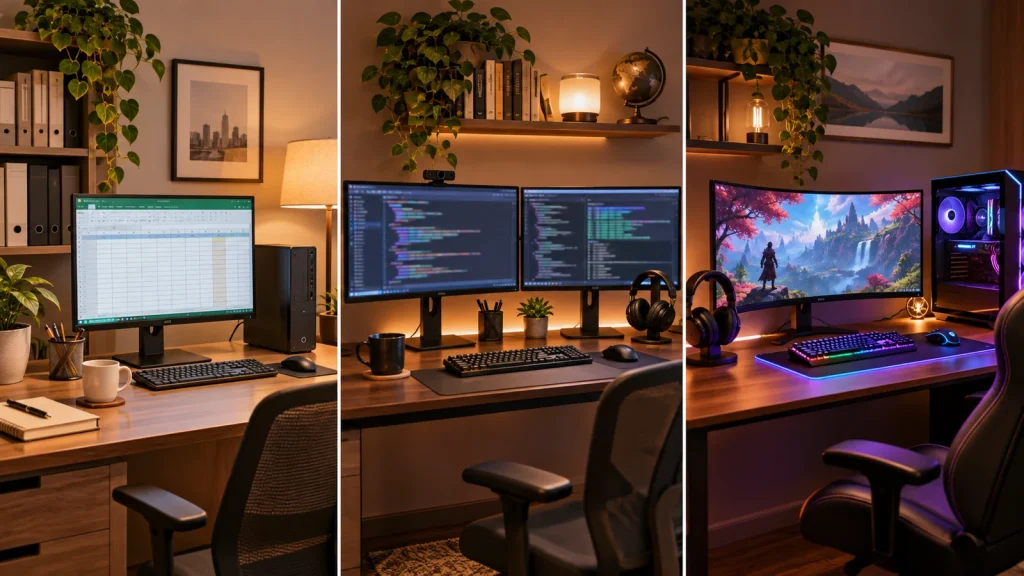
Typical work: Email, web apps, Microsoft 365 or Google Workspace, video calls, spreadsheets, accounting software, light photo editing.
What matters most:
- Integrated graphics: Avoid "F" and "KF" models unless you're adding a graphics card.
- Efficiency: Quiet, cool, and cheaper to run all day.
- Reliability and support: For a fleet of office PCs, business-class prebuilt systems with Intel vPro or AMD PRO add remote management and hardware security features that IT teams use. These are typically found in business prebuilts rather than retail boxed CPUs, so check the system's spec sheet.
What you probably don't need: A Core Ultra 9 or Ryzen 9, X3D chips, or overclocking.
Sweet spot: A 6–8 core current-generation chip (Core Ultra 5 or Ryzen 5 tier) handles typical office work with plenty of headroom. Put the money into 16–32GB of RAM and a fast SSD instead. They make office PCs feel faster than a pricier CPU would.
Pros of staying mid-tier: Lower cost, lower power, quieter PC.
Cons: Less headroom if your work grows into heavy video or data processing.
💻 Developers
"Developer" covers a lot of ground, so match the chip to the kind of work you do:
| If you mostly… | Prioritize | Why |
|---|---|---|
| Build websites or apps, use an IDE, run a local dev server | Strong single-core speed, 8+ cores, 32GB+ RAM | Editors, browsers, and dev servers feel snappy on fast cores; RAM keeps everything open |
| Compile large codebases (C++, Rust, game engines) | More cores (12–24+), big cache | Compilers can spread work across many cores |
| Run virtual machines, Docker, or local Kubernetes | More cores + lots of RAM (64GB+) | Every VM or container needs its own share of CPU and memory |
| Do data science or train AI models locally | Graphics card and memory first, solid CPU second | Most AI training and inference leans on the GPU |
Developer-specific features to check:
- Virtualization support (Intel VT-x, AMD-V) is standard on modern desktop chips, but it must be turned on in the BIOS.
- AVX-512: Some scientific, data, and emulation tools run faster with this instruction set. AMD's Ryzen 9000 series lists AVX-512 support. Check whether your specific tools use it before it influences your purchase.
- ECC memory is worth considering if you run long jobs where silent memory errors would be costly. It requires both CPU and motherboard support.
Honest take: For most web and app developers, RAM is the bottleneck before the CPU is. A mid-to-upper chip with 32–64GB of RAM beats a flagship chip with 16GB.
🎮 Gamers
The most important rule: your graphics card matters more than your CPU for most games.
Here's why. At 1080p, a fast graphics card draws frames so quickly that the CPU often becomes the limit. At 1440p and 4K, the graphics card works much harder per frame and usually becomes the limit instead, so CPU differences shrink. Several buying guides make the same point: spending more on the CPU than the GPU in a gaming build is usually backwards.
What matters most for gaming:
- Fast cores and big cache. This is why AMD's X3D chips frequently top gaming charts.
- 6–8 strong cores are enough for most games today. Extra cores mainly help if you stream or record while playing.
- Match the CPU to your monitor. Chasing 240+ fps in competitive shooters at 1080p? The CPU matters a lot. Playing single-player games at 4K and 60 fps? A mid-range CPU is usually plenty.
Pros of a gaming-focused CPU (like X3D): Higher and smoother frame rates in CPU-heavy games.
Cons: Often slower than similarly priced non-X3D chips in heavy work apps like video editing or code compiling.
Gamers who also create (streaming, video editing, 3D) should look at chips that combine high core counts with gaming strengths. AMD's 16-core X3D models aim at exactly that mix.
Example Processors by Need
These examples show how the concepts above map to real chips. This isn't a ranked list or a hands-on review. Specs come from Intel and AMD listings as of November 2026, and the "fits" column reflects each chip's design strengths, not our testing.
| Processor | Cores / Threads | Max Boost | Socket | Where it fits |
|---|---|---|---|---|
| Intel Core Ultra 9 285K | 24 (8P+16E) / 24 | 5.7 GHz | LGA 1851 | Developers and creators who need lots of cores |
| Intel Core Ultra 7 270K Plus | 24 (8P+16E) / 24 | 5.5 GHz | LGA 1851 | Developers; all-round performance |
| Intel Core Ultra 7 265K | 20 (8P+12E) / 20 | 5.5 GHz | LGA 1851 | Balanced work and gaming |
| Intel Core Ultra 5 245K | 14 (6P+8E) / 14 | 5.2 GHz | LGA 1851 | Business users; budget gaming builds |
| Intel Core i9-14900K | 24 (8P+16E) / 32 | 6.0 GHz | LGA 1700 (older) | High-end gaming and work, on an older platform (see red flags) |
| AMD Ryzen 7 9800X3D | 8 / 16 | 5.2 GHz | AM5 | Gamers |
| AMD Ryzen 9 9950X3D | 16 / 32 | 5.7 GHz | AM5 | Gamers who also create or code |
| AMD Ryzen 9 9950X | 16 / 32 | 5.7 GHz | AM5 | Developers; heavy multi-core work |
| AMD Ryzen 7 9700X | 8 / 16 | 5.5 GHz | AM5 | Efficient all-rounder (65W default) |
| AMD Ryzen 5 9600X | 6 / 12 | 5.4 GHz | AM5 | Business users; budget gaming builds |
Don't Forget the Hidden Costs
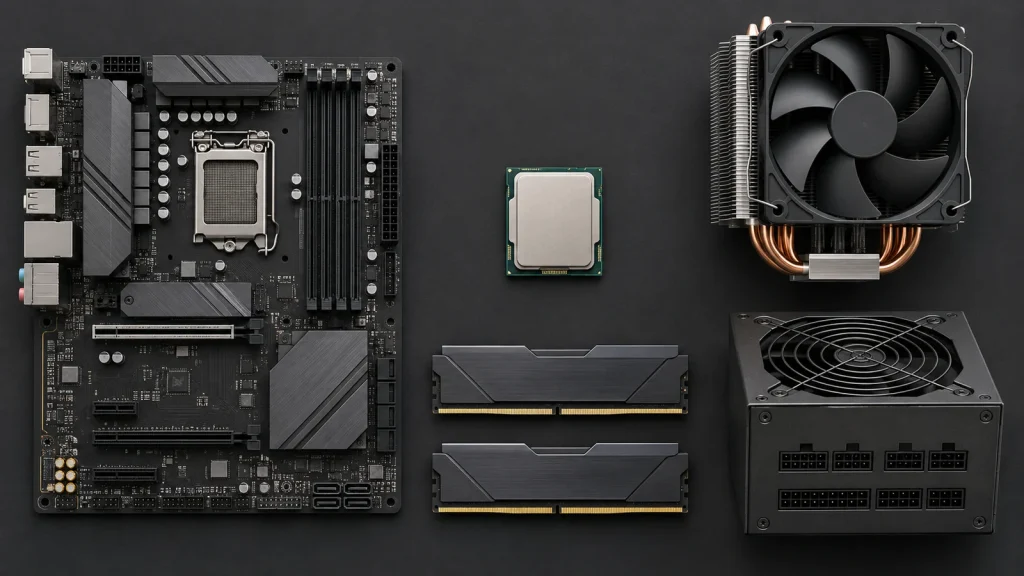
The CPU price on the box isn't the whole bill. Budget for:
- Motherboard: Must match the socket. Budget boards may limit features like PCIe 5.0 or overclocking.
- Cooler: Many desktop chips, including all of the examples above, ship without a cooler. High-power chips need a capable air cooler or a liquid cooler.
- DDR5 RAM: Required on current platforms. Old DDR4 won't work.
- Power supply: High-power CPUs plus big graphics cards need enough wattage, with some headroom.
- Operating system: Windows 11 if you need it.
Red Flags: What to Avoid
- 🚩 Buying an "F" or "KF" chip with no graphics card. You'll get a black screen. These need a discrete GPU.
- 🚩 Comparing GHz across brands or generations. It's a misleading shortcut. Compare real benchmarks.
- 🚩 Mismatched socket and motherboard. An AM5 chip won't fit an Intel board, and an LGA 1851 chip won't fit an LGA 1700 board. Always confirm the socket and check the motherboard's CPU support list.
- 🚩 Forgetting the BIOS update. A newer CPU in an older-stock motherboard may need a BIOS update before it will even boot. Check the board maker's support page.
- 🚩 Intel 13th and 14th Gen Core desktop chips without the latest BIOS. These chips were affected by a "Vmin Shift" instability problem tied to elevated voltages. Intel released microcode fixes, recommends the latest BIOS with "Intel Default Settings," and extended the warranty on affected chips by two years. Intel says the fixes prevent further damage but can't repair a chip that's already degraded. If you buy one, especially used, update the BIOS immediately and confirm the warranty.
- 🚩 Overspending on the CPU in a gaming PC. For most gamers, that money buys more frames in a better graphics card.
- 🚩 Paying for a flagship for office work. A Core Ultra 9 or Ryzen 9 won't make email faster.
- 🚩 Not budgeting for cooling. A high-power chip on a weak cooler will run hot and slow itself down, a behavior called thermal throttling.
- 🚩 Gray-market or "tray" CPUs from unknown sellers. They may lack the manufacturer's retail warranty. Buy from reputable retailers and check warranty terms.
Questions Shoppers Usually Ask
Intel or AMD — which is better?
Neither wins at everything. In late 2026, AMD's X3D chips are widely regarded as the gaming leaders, while both brands offer strong multi-core options for work. AMD's AM5 platform also has a confirmed longer upgrade path. Compare benchmarks for the apps and games you use.
How many cores do I need?
Office work: 6. Gaming: 6–8 strong cores. Programming: 8 or more. Heavy compiling, VMs, video, or 3D: 12–24 or more.
Does a faster CPU make my games run better?
Sometimes. At 1080p with a strong graphics card, yes. At 1440p and 4K, usually less than you'd think, because the graphics card is the bigger limit.
Do I need a CPU with an NPU for AI?
For desktops today, rarely. Serious local AI depends mostly on your graphics card and memory.
Do CPUs come with coolers?
Many don't, especially unlocked "K" and "X" models. Check the box contents before you order.
Can I reuse my old RAM?
Only if your new platform uses the same type. Current Intel Core Ultra 200S and AMD AM5 platforms are DDR5-only.
Should I wait for the next generation?
There's always a next generation. Buy when you need it. If upgradeability matters to you, a platform with a longer roadmap reduces the "I should have waited" feeling.
Is the newest generation always faster?
No. A previous-generation chip with big cache or more cores can beat a newer one in specific tasks. Benchmarks beat model numbers.
Our picks
AMD Ryzen 5 9600X 6-Core Desktop Processor
Review the AMD Ryzen 5 9600X’s listed specifications, price, platform requirements, cooler, performance comparisons, installation details and power information.
Research-based pick
Intel Core Ultra 9 285K Desktop Processor
Review the Intel Core Ultra 9 285K’s listed price, 24-core layout, cache, speed, memory support, socket and what buyers still need to verify.
Research-based pick
AMD Ryzen 7 9800X3D 8-Core Desktop Processor
Review the AMD RYZEN 7 9800X3D 8-Core, 16-Thread Desktop Processor, including its listed specifications, price, compatibility details and buyer trade-offs.
Research-based pick


Your Pre-Purchase Checklist
Before you click "buy," run through this list. Consider it your CPU-buying cheat code, the legal kind.
- I know my main use: business, development (and which kind), or gaming.
- The core count fits my workload, without paying for cores I'll never use.
- I'm comparing benchmarks for my apps or games, not just GHz.
- I've confirmed the socket and picked a compatible motherboard, including any BIOS update.
- If I have no graphics card, the CPU has integrated graphics (no "F" or "KF").
- I've budgeted for a cooler that can handle the chip's power.
- I'm buying DDR5 RAM in enough capacity for my work.
- My power supply can handle the CPU plus my graphics card.
- For gaming, I'm not overspending on the CPU at the expense of the graphics card.
- I'm buying from a reputable seller with a valid manufacturer warranty.
Get these right, and you'll end up with a processor that fits your work, your games, and your budget.
Sources and Further Reading
- Intel — Core Ultra 7 processor 270K Plus specifications
- HotHardware — Core Ultra 7 270K Plus & Ultra 5 250K Plus review
- Tom's Hardware — Intel launches Arrow Lake Core Ultra 200S
- Mezha — Intel announces Core Ultra 200S and LGA 1851 (power limits, NPU)
- ASI — Core Ultra 200S technical notes (NPU, PCIe, no Hyper-Threading)
- B&H Photo — AMD Ryzen 5 9600X specifications
- Tom's Hardware — Ryzen 7 9700X / Ryzen 5 9600X 105W mode gaming tests
- AMD — Computex 2026: AM5 support through 2029
- Tom's Hardware — AMD confirms AM5 support through 2029
- Guru3D — Intel Nova Lake-S confirmed for new LGA1954 socket
- Micro Center — AMD X3D explained
- Evetech — What is 3D V-Cache (cache sizes, workloads)
- SlashGear — What X3D means and where it helps
- Build-Gaming-Computers — CPU bottlenecks explained
- MaxMyBuild — CPU vs. GPU bottlenecks explained
- Evetech — CPU naming guide (Intel and AMD suffixes)
- Corsair — Intel K vs. KF vs. F processors
- Petri — Intel vPro explained
- WePC — Intel confirms 0x12B microcode for 13th/14th Gen instability
- Neowin — Intel 0x12F microcode and recommendations
- Notebookcheck — Intel extended warranty for affected 13th/14th Gen chips
Specifications, platform roadmaps, and support policies change. Always confirm details on Intel's and AMD's official product pages and your motherboard maker's CPU support list before buying.